Key and BPM
How to Find the Key and BPM of a Song (3 Methods)
If you want to find the key and BPM of a song, you have three options: work it out by ear, lean on your DAW, or drop the file into an analyzer that does the listening for you. Each method has strengths, and the smartest approach usually combines them. An analyzer gives you a fast first answer; your ears confirm it. This guide walks through all three, explains why tools sometimes disagree, and shows where these two numbers actually earn their keep, from DJ sets to remixes to band rehearsals.
Why You Need to Find the Key and BPM of a Song
Whenever a piece of music gets handed from one person to another, tempo and key tend to come along with it. A sample pack labels each loop with them. A DJ's library sorts by them. A music supervisor's submission form asks for them. A cover band writes them on the setlist taped to the floor.
The reason is practical. Tempo tells you whether two pieces of music can sit at the same speed without awkward stretching. Key tells you whether they will sound good together harmonically. With both numbers in hand, you can predict whether two things will fit before you spend time testing them.
A Quick Definition of BPM
BPM stands for beats per minute: the number of pulses you would naturally tap your foot to in sixty seconds. A track at 90 BPM has a beat every two-thirds of a second.
A Quick Definition of Key
A key has two parts. The first is the tonic, the note that feels like "home," where the music sounds settled. The second is the mode, usually major or minor. Major often sounds brighter and minor darker, though plenty of songs play against that stereotype. "G minor" simply means the tonic is G and the music behaves like a minor scale built on it.
That is all the theory you need for this article.
Method 1: Let an Analyzer Do the First Pass
The quickest way to get both numbers is to use a dedicated tool. SampLab Pro's free BPM & Key Finder estimates tempo and key directly in your browser and reports a confidence level with each result. Your audio is not uploaded, and the tool does not use credits.
A good routine:
- If the song is long or has an intro in a different feel, trim a representative section with the Audio Cutter first. A chorus or main groove usually gives the clearest reading.
- Run the analysis and note both the tempo and the key.
- Look at the confidence figure. A high value means the track is unambiguous. A low value is a signal to double-check by ear rather than a sign that the tool broke.
- Confirm using the manual checks described below.
Analyzers shine when you have many files to process. Labeling a folder of fifty loops by ear would take an afternoon; a tool gets you a draft in minutes.
Why Analyzers Sometimes Give a "Wrong" Answer
Analysis is estimation, and certain kinds of music make it genuinely hard:
- Tempo doubling and halving. A track can reasonably be heard at 70 or 140 BPM. A tool may pick either one.
- Relative major and minor. C major and A minor use exactly the same notes. A tool can identify the right set of notes but the wrong home note.
- Key changes. A song that modulates for its final chorus has two correct keys.
- Weak or ambiguous tonics. Drone music, some modal tracks, and loops that never resolve give a tool very little to hold on to.
None of these mean the tool is bad. They mean the music is ambiguous, and you need human judgment to choose the most useful answer.
Method 2: Work It Out by Ear
Finding the key by ear is a skill worth building, because it also trains your listening.
Finding the Tonic
Grab any instrument with clearly labeled notes; a cheap keyboard or a free piano app is ideal. Play the track and wait for a moment of rest, such as the end of a chorus or the last chord of the song. Sing or hum whichever pitch gives you a sense of arrival. Then search the keyboard for that note, trying one key at a time, until your voice and the instrument lock together without any wobble between them. Congratulations: you have located the home note.
Choosing Major or Minor
From that tonic, play a major scale along with the track. Then play a minor scale starting on the same note. One will feel at home inside the song; the other will clash in places. The one that fits tells you the mode.
Practicing the Skill
Start with songs whose keys you can look up, so you can check your answer. After a few dozen tries, you will start hearing the tonic almost immediately. It is the only method on this list that makes you a better musician while you use it.
Method 3: Use What Your DAW Offers
Most digital audio workstations provide some form of tempo detection when you import audio, and some sample browsers tag key automatically. Exactly what you get varies by program and version, so check your DAW's documentation.
Treat whatever your DAW reports the same way you treat an analyzer: as a starting point. Confirm it with a tap test and a quick ear check before you build a project around it.
Tapping the Tempo Yourself

To confirm a BPM reading, tap along with the beat using any tap-tempo control. A few tips:
- Tap for at least eight bars. Short samples include more of your own timing wobble.
- Choose a steady section. Avoid breakdowns, rubato intros, or fills.
- Verify with a click. Set a metronome to the tempo you found and play it against the track for a full verse. If the two drift apart, you either miscounted or the track has tempo changes.
Double or Half? Picking the Right Pulse
The most common disagreement about tempo is not about precision. It is about which pulse you are counting. A hip-hop beat with a snare on two and four might feel like 85 BPM, but you could also count it at 170 with a snare on every fourth beat. Both describe the same music.
The useful answer is the one people in that genre would write down. Drum and bass is conventionally counted fast, most hip-hop slow, and house at the kick-drum pulse. If you genuinely cannot decide, record the number a drummer would count in with, then add the other reading in brackets. Whoever reads your file name later will thank you.
Camelot Codes: Writing Keys the DJ Way
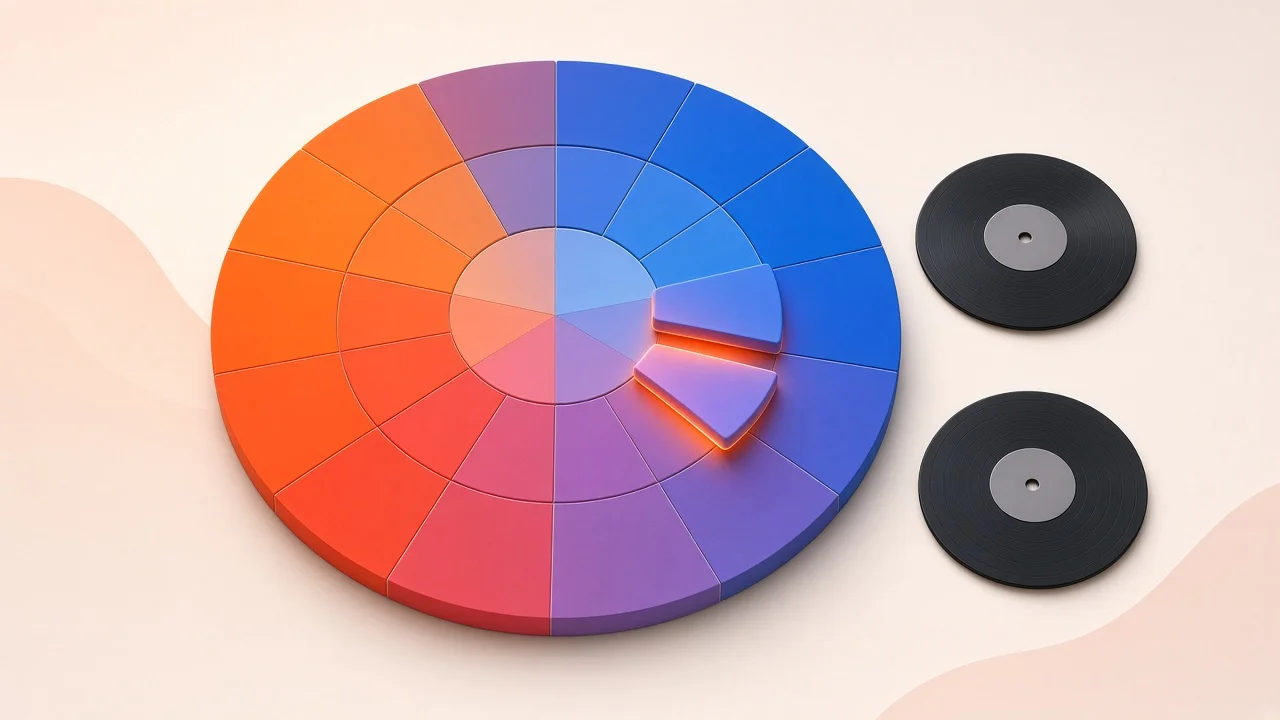
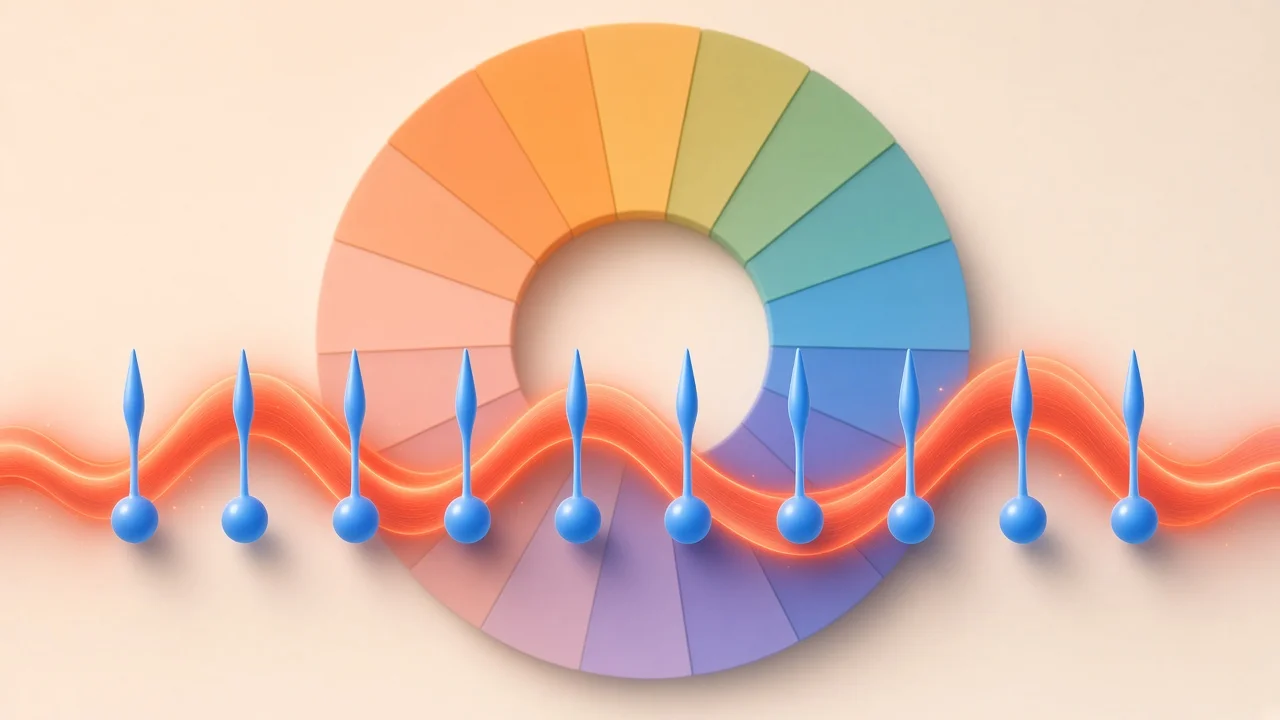
Western pop and dance music draws on two dozen keys, split evenly between major and minor. Their standard names, such as F-sharp minor, do not tell you which keys blend well together. Under pressure in a DJ booth, recalling the circle of fifths is not easy.
The Camelot system solves this by giving each key a number from 1 to 12 and a letter: A for minor, B for major. Compatible keys sit next to each other on a wheel, so mixing becomes simple counting. Here is the full mapping, organized by number:
| Number | Minor key (A) | Major key (B) |
|---|---|---|
| 1 | A-flat minor | B major |
| 2 | E-flat minor | F-sharp major |
| 3 | B-flat minor | D-flat major |
| 4 | F minor | A-flat major |
| 5 | C minor | E-flat major |
| 6 | G minor | B-flat major |
| 7 | D minor | F major |
| 8 | A minor | C major |
| 9 | E minor | G major |
| 10 | B minor | D major |
| 11 | F-sharp minor | A major |
| 12 | D-flat minor (C-sharp minor) | E major |
Some software uses a different labeling called Open Key, which numbers the same circle differently and uses "m" for minor and "d" for major. If your tools disagree on codes, check which system each one uses before assuming an error.
Three Moves That Usually Work
- Switch the letter, keep the number. 8A to 8B moves from A minor to C major. They share all their notes, so nothing clashes, but the mood shifts.
- Step one number either way. From 5A you can go to 4A or 6A. Neighboring keys differ by one note, so blends stay smooth while the harmony moves.
- Break the rules on purpose. Bigger jumps can work when the incoming track has enough energy, when the outgoing track is down to drums, or when you want a deliberate reset. The wheel is guidance, not law.
A Worked Example From Start to Finish
Suppose a friend sends you a demo and asks you to add a keyboard part. Here is how the process might go.
First, you drop the file into the BPM & Key Finder. It reports roughly 96 BPM and E minor, with moderate confidence. Moderate confidence is a cue to verify, so you start with tempo. Tapping along for eight bars lands close to 96, and a click at that speed stays locked through the first verse. Tempo confirmed.
Next, the key. You wait for the end of the chorus, hum the note that feels like home, and find it on a keyboard: E. Playing an E minor scale against the track sounds natural, while E major clashes on the third note. Key confirmed. But you also notice that the bridge leans heavily on G major chords. Since G major is the relative major of E minor, that is not a contradiction. It simply means the song visits its relative major for contrast, which is useful to know when you write your part.
Finally, you write "96 BPM, E minor (9A)" at the top of your notes. Anyone who opens your project later, including you in six months, will have everything they need.
Mistakes to Avoid
- Trusting a single reading blindly. Always run at least a quick tap test and a scale check.
- Analyzing the intro. Many songs start with a free-time intro or a filtered build that confuses tools. Analyze the main groove instead.
- Ignoring key changes. If the last chorus jumps up a step, note both keys.
- Mixing up labeling systems. Camelot and Open Key codes look similar but are not interchangeable.
- Forgetting swing. Heavily swung grooves can make tap tests feel uneven. Tap only on the main beats, not the swung subdivisions.
Where These Numbers Matter Beyond DJing
Remixing and Sampling
Before you time-stretch or pitch-shift anything, you need the tempo and key of both the source and your project. Without them, you are guessing at stretch ratios and finding clashes by trial and error. With them, you can calculate the change in seconds. If you need to pull a particular part out of a full song first, SampLab Pro's AI Stem Splitter separates vocals, accompaniment, bass, and drums (36 credits per job). And remember that sampling someone else's recording raises rights questions that are entirely separate from the technical work.
Learning and Transcribing Songs
Knowing the key narrows down which chords are likely, which makes figuring out a song by ear much faster. Pair a key reading with SampLab Pro's Chord Finder, which estimates chords with timestamps, and you have a strong head start on learning a tune.
Submitting Music for Sync
Licensing briefs often ask for tempo and key because editors are matching music to footage that already has its own rhythm. An inaccurate number can get your track filtered out before anyone listens, so double-check before you submit.
Planning a Set or Rehearsal
Ordering songs by tempo and key changes how a set flows. Songs a step apart on the wheel feel connected; a large tempo jump feels like a pause. Both can be useful as long as they are deliberate. Bands should also measure the tempo they actually play live, which often drifts from the original recording, and rehearse with a click at that number.
Frequently Asked Questions
What does a Camelot code like 8A mean?
8A stands for A minor: the 8 is its position on the wheel and the letter A marks a minor key. Switch the letter to B and you land on C major, which shares its notes.
Do Camelot and Open Key codes mean the same thing?
No. They label the same circle of keys with different numbers and letters. Check which one your software uses.
Why does my analyzer disagree with my DAW?
Most disagreements are half-time versus double-time tempo or relative major versus minor key. Both readings can be defensible. Confirm the tempo by tapping and the key by ear.
If I speed a track up, will its key shift too?
Only with some processing methods. Varispeed-style processing changes both together. Most current stretching algorithms let you adjust speed and pitch independently of each other. Check which mode your tool uses.
How long should I tap to find the BPM?
At least eight bars, longer if the groove is loose. Then confirm with a click track over a full verse.
Is SampLab Pro's BPM & Key Finder free?
Yes. It is a browser tool that does not use credits, and your audio stays on your device.