Harmonic mixing
Harmonic Mixing for Beginners
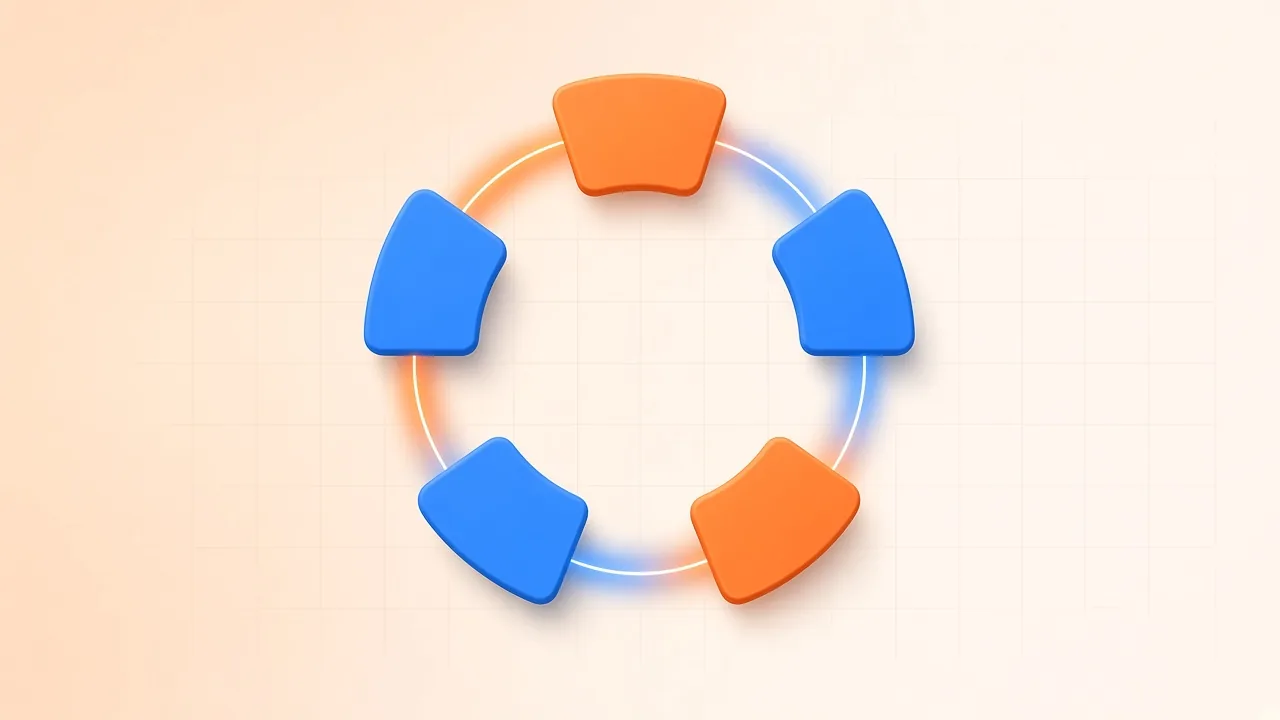
Harmonic mixing is the habit of choosing the next track so its key sits comfortably with the one that is already playing. Compatible keys will not mix themselves. You still have to match tempo, phrase the incoming tune, and listen to what the vocals and bass actually do in the overlap. The wheel is a shortlist, not a verdict.
This article starts after you already know how to find the key and BPM of a song. Here the job is different: take those estimates, place them on a simple key map, pick neighbours that often blend, and check the transition by ear. BPM Finder reports an estimated BPM, a major or minor key, and an uncalibrated confidence score. It does not print Camelot codes, energy tags or cue points. You map the written key yourself.
Use recordings you are allowed to analyse and play. Measuring a file is not a licence to perform or distribute it.
What You Are Actually Mixing
Two ideas sit underneath the DJ shorthand.
The circle of fifths arranges keys so that neighbours share many pitches. Moving to an adjacent key is a small harmonic step; jumping across the circle is a larger one. Relative keys pair a major key with the minor key that uses the same key signature—G major with E minor, for example—so a move between those two often feels related rather than abrupt.
A musical key is still more than a label. The recorded track may tonicize other chords, sit in a mode, or use a sampled hook that never leaves one pitch. That is why a compatible label can still clash when a sung chorus enters. Tempo matters equally: tempo is the speed you will align, and beatmatching remains the craft of lining up those beats. Harmonic mixing does not replace beatmatching; it only narrows which records are worth rehearsing.
Read BPM and Key, Then Map the Wheel Yourself
Open BPM Finder and drop in a track you are allowed to use, or a trimmed section if you only need the body of the song—Audio Cutter can isolate a slice of at least one second before you analyse. The finder accepts files from about one second to ten minutes and up to about 50 MB. Analysis runs in your browser. You need an account only if you want to save results to your library.
Read three numbers on the result, not one:
- Estimated BPM. Treat doubles and halves as a listening check. A 70 BPM reading may be the same groove someone else would call 140. Tap along before you set your decks.
- Estimated key, written as a major or minor name. That is the value you will place on a Camelot-style chart.
- Confidence. The page describes it as uncalibrated. A lower figure is a reminder to listen longer, not a precise laboratory score.
Camelot notation gives every key a number from 1 to 12 and a letter: A for minor, B for major. A public chart such as the table in Harmonic Mixing and the Camelot Wheel Explained lists the pairing (for example, 8A with A minor and 8B with C major, which are relative keys). SampLab does not output those codes. Write the code next to your track title if your DJ software does not already show one.
Do that for the record that is playing and for the candidates you might mix next. Then apply the three beginner moves.
Three Safe Opening Moves

Imagine the current track is 8A. The conservative shortlist is:
- Same key: 8A. Another track in the same Camelot code is the simplest harmonic match.
- One number either side, same letter: 7A or 9A. Those neighbours sit next to each other on the wheel and often share enough pitch collection to blend.
- Same number, other letter: 8B. That is the relative major or minor—the move “across” the inner and outer ring.
You can start from any code and apply those three neighbour choices. A track labelled 5A pairs first with other 5A records, then with the codes immediately beside it and with 5B. A 12B record wraps from 12 to 1 the same way any other number does; that wrap is the circle, not a special exception.
These moves are starting points. They do not promise that every pair will sound finished. A busy vocal-on-vocal overlap, a bass line that refuses to leave the old tonic, or a breakdown that changes implied key can all break a “perfect” code pair. Audition the bars you actually plan to layer.
How to Mix After You Have a Shortlist
- Measure both tracks (or confirm notes you already trust).
- Map each estimated key to a Camelot code with a reference chart.
- Shortlist neighbours using the three moves above. Keep a slightly wider list if the dance floor needs a mood change; just know you are taking a bigger harmonic step.
- Compare BPM. Prefer pairs you can align without extreme pitching, then decide whether you will beatmatch by ear or with sync. If you stretch tempo far enough to change perceived pitch, listen again: the labelled key may no longer match what you hear unless your software is holding pitch constant.
- Audition the overlap, not only the first beat. Listen for clashing lead vocals, mutually exclusive bass notes, and whether the incoming hook still sounds like itself.
- Phrase the entry on eights or sixteens so the mix has a musical reason to happen.
- Keep or reject by ear. If the codes agree and the blend sounds sour, reject it. If the codes are a little farther apart and the records share a drone or a spoken vocal, the mix might still work.
Playlist planning uses the same rules at a slower pace. Group a section of a set around one neighbourhood of the wheel, then decide when you want a noticeable lift. Moving to a relative major can feel brighter; moving the other way can feel darker. Jumping several numbers at once is a scene change. None of those effects is automatic, and none of them requires a proprietary “energy” tag. Your ears already know whether the room got smaller or bigger.
Advanced tricks you may see named in DJ folklore—dramatic jumps around the circle, teasing a clash on purpose, or holding a long loop while the keys rub—are stylistic choices. Practise them only after the three basic moves feel boring, and never treat a named gimmick as a substitute for listening.
Mistakes That Make the Wheel Look Broken
Trusting the label alone. Detection is an estimate. Live bands, heavily processed masters and tracks that never settle on one tonic will fool a display. If confidence looks weak or the result disagrees with what you hear, retune your shortlist by ear.
Ignoring half- and double-time. Mixing 87 into 174 without noticing the relationship will make you think the finder failed.
Matching key and forgetting tempo. Two 8A tracks at 90 and 128 BPM still need a tempo plan.
Layering two lead vocals because the codes matched. Harmony between instrumentals can survive a collision that lyrics will not.
Announcing a key change the music did not make. A brief borrowed chord is not a new Camelot code. Listen through the section you will mix, not only the first bar.
Assuming every DJ tool prints the same code. Different analysers disagree. If you bounce between utilities, write down which estimate you used for the night.
Frequently Asked Questions
What is harmonic mixing? It is choosing tracks whose keys are likely to combine smoothly, then proving the transition by listening while you align tempo and phrasing.
Does BPM Finder show Camelot notation? No. It shows an estimated key name (major or minor) and BPM. You map that name to a Camelot code with a chart if you want the number-and-letter shorthand.
From 8A, which keys should I try first? Start with 8A, 7A, 9A and 8B. Then audition the overlap. The same neighbour pattern applies to any starting code.
Do I need to sign in? Not only to analyse a file in the browser. You need an account to save results. Analysis itself runs locally on the page.
Can I ignore BPM if the keys match? No. Harmonic compatibility does not beatmatch the records for you. Check tempo, including half- and double-time readings, every time.
Why did two “perfect” neighbours clash? The recording may modulate, the vocals may share a register, or the estimate may be wrong. Drop the pair and try another neighbour rather than forcing the blend.