Lyrics to song
Turn Your Lyrics Into a Song With AI
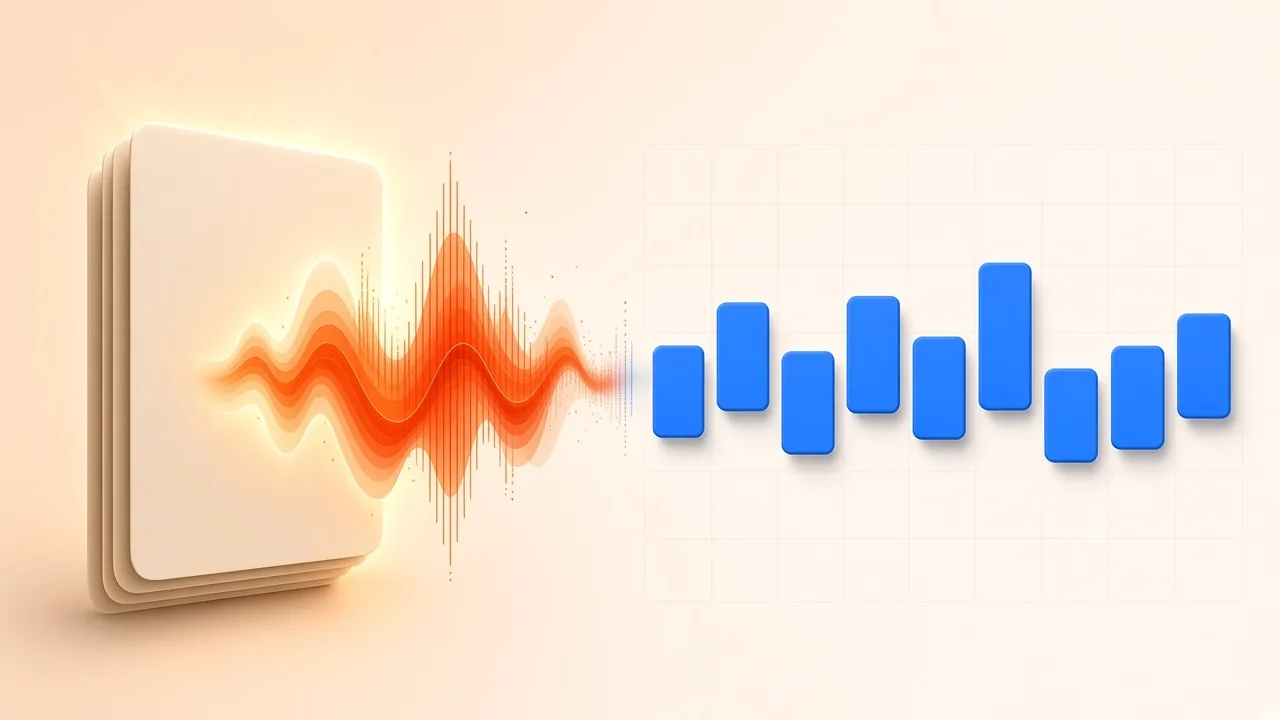
To turn lyrics into a song with AI, you start with words you already have and ask a generator to propose a melody, a vocal and a backing track. The lyric sheet is the input. The output is a listen you can keep, reject or send on for editing—not a substitute for writing the words, and not a catalogue of every music generator on the web.
This workflow uses AI Music Generator in Use my lyrics mode. If you still need the words themselves, start with how to write song lyrics with AI or the on-site lyrics generator and come back when a verse and chorus exist. If you want a wider survey of generator types, that comparison lives in best free AI music generators. The pages share a topic family and they do not share this job: finished (or nearly finished) lyrics in, a sung draft out.
Sign in before you generate. Results stay with your account. Only paste lyrics you wrote or are allowed to set to music.
Decide Three Things First
You need three decisions, not a studio full of settings.
Lyrics that already have a shape. Rough lines are acceptable. You should still know which lines are verses, which lines return as the chorus, and whether a bridge exists. A paragraph with no refrain gives the model nothing to land on. A chorus you never write out, replacing it with a note to “repeat the hook,” risks being read as words to sing.
A language the page actually offers. The lyrics field accepts English or Simplified Chinese. If your draft is in another language, translate or rewrite it before you paste; do not assume hidden multilingual switches.
A picture of the arrangement you want. One style tag is enough to start—Pop, Rock, Hip-hop, R&B, Electronic, Jazz, Folk, Country, Lo-fi, Classical, Ambient, Cinematic, Reggae or Blues. You are choosing a direction, not painting every instrument.
You do not need a separate “model picker,” a section-rewrite studio, or a list of implementation notes inside the lyric box. Those belong to other products. Here the useful habit is simpler: prepare a clean lyric sheet, generate a full take, listen, and try again if the take misses the song.
The generator also offers Describe (up to 1,800 characters of prose when you do not have lyrics to honour) and Instrumental (no vocal). Leave those modes alone when the point is to hear your words sung.
Prepare a Lyric Sheet the Vocal Can Follow
Think like a singer, not like a poet who never has to breathe.
Write the chorus in full every time it appears. Shortcuts such as “chorus x2” or “(repeat)” are instructions to a human collaborator; a generator may pronounce them. Keep stage directions out of the field. Lines like “guitar solo” or “whisper this” are likely to be treated as lyrics.
Keep sections short enough to sing. Four to six lines per verse is a practical range. A sixteen-line stanza of long clauses is where vocals start to rush or swallow names. If a proper noun is always misheard, respell it the way it sounds rather than the way it is written, then change it back on your printed lyric sheet later.
Use line breaks the way you want phrases to land. A wall of text hides the chorus. A readable verse/chorus layout does not require any special markup language, and this guide does not claim that bracketed section tags are a documented control on the page. Clear structure helps you; invented syntax is not a hidden feature list.
Stay inside the length the form allows: lyrics up to 3,000 characters. If the song is longer, cut to the sections you want to hear first—verse, chorus, verse, chorus is usually enough to judge whether the idea works.
Read the draft aloud once at conversation speed. If you run out of air, the sung version will too. If two lines collide, rewrite them before you spend another take on a tongue twister.
Generate a Sung Take
- Open the AI Music Generator and choose Use my lyrics.
- Set the lyric language to English or Simplified Chinese to match what you pasted.
- Paste the prepared sheet.
- Pick a style tag that matches the record you have in mind. If you are torn between two, generate once in each rather than stacking incompatible descriptions in the lyric field.
- Generate and wait for a result in your account.
- Listen all the way through once without stopping, then listen again for diction, chorus lift and whether the sections you wrote still feel like sections.
If the first take is close, keep it and decide what you would change in the lyrics or the style before you try another. If the first take is wrong in kind—wrong genre, spoken instead of sung, chorus that never arrives—change one variable and generate again. Repeating the identical request ten times in a row teaches you less than one careful rewrite of the hook.
There is no documented “fix bar 17 only” control on this page. Treat each generation as a full listen. That limitation is worth planning for: do not paste an unfinished novel of verses if you only care about the chorus today.
From a take you want to keep, the result page can send the audio on for cutting, stem splitting or conversion toward MIDI. Use AI Stem Splitter when you want to hear the vocal or the band on their own after the song exists. Those are editing steps on a file you generated, not extra writing modes.
How to Judge a Take Without Overfitting the Prompt
Listen for four things, in order.
Are your words present? A generator can paraphrase, skip a line or invent a filler syllable. Compare the output to the sheet, not to the memory of the sheet.
Can a listener parse the chorus? If the hook is the reason the lyric exists, a beautiful verse with a swallowed chorus is a failed take.
Does the melody feel singable? An interval that looks exciting on a spectrogram can be awkward in the voice the model chose. Hum the line yourself. If you cannot, the demo vocal is not proof that a human later will.
Does the backing leave space? A crowded instrumental that steps on every consonant will make you think the lyric is poorly written when the arrangement is the problem. That is a reason to try another style tag, not automatically a reason to simplify the poem into slogans.
Common repairs sit on the lyric side: shorter lines, fewer stacked images in one bar, a chorus that repeats a small number of words, names respelled for sound, a bridge cut until the form is learnable. Common repairs on the style side: a calmer tag when consonants disappeared, a more rhythmic tag when the chorus felt recitative, a second take when the first simply ignored a section.
Do not chase perfection by stuffing the lyric box with production essays. Extra instructions mixed into sung text are often sung.
It also helps to keep a short listening log: which lyric file you pasted, which style tag you chose, and which moments failed. The second take should answer a note such as “chorus words were clear but the verse rushed the third line,” not a vague hope that the next roll will be luckier. If two styles both fail in the same place, the lyric—not the tag—is usually the bottleneck.
When a name, brand or place is central to the story, test it in a two-line fragment before you commit the whole sheet. A swallowed name in a 3,000-character paste wastes a full listen. A tiny trial tells you whether you must respell the word or rewrite the line around a simpler stress pattern.
What This Tool Is Not Claiming
It is not a lyrics coach (see the writing guide). It is not a buyer’s guide (see the generator roundup). It is not an official statement that every output is a registrable sound recording, a commercially cleared master, or a replacement for legal advice.
It does not list a catalogue of hidden section-regeneration models, desktop installers or third-party checkpoints. If a different article on the web describes local file-based generators, those details describe those products. Map only what the SampLab page offers: pasted lyrics, a language choice, style tags, an account-bound result, and optional hand-off to the site’s audio tools.
Rights: Write From Primary Guidance, Not From Another Product’s Terms
Two layers of copyright can sit on a song: the musical work (melody and any accompanying words) and the sound recording of a particular performance. Circular 1 treats original works of authorship that are fixed in a tangible form as the starting point, and it includes musical works and sound recordings in that framework. Your lyric sheet, if you wrote it, is your writing. Turning it into audio does not automatically answer who authored the melody or the recording that comes back.
The Copyright Office publishes specific guidance for material generated by artificial intelligence. The Office’s AI practices page and the Copyright Registration Guidance: Works Containing Material Generated by Artificial Intelligence explain the human-authorship requirement. The same policy was issued in the Federal Register (2023-05321): material produced entirely by AI without sufficient human authorship is not registrable, and applicants must disclose AI-generated portions rather than claim them as their own.
What that means in practice for this workflow is conservative and specific. You can be the author of lyrics you composed. You can make creative choices about structure, revision and which take to keep. You should not assume that an unedited machine vocal and backing are, by themselves, a fully registrable sound recording or musical work just because you pressed generate. If you later register anything, read the current Office guidance and disclose what the system contributed. This article is not a registration form and not legal advice.
Other people’s lyrics are a separate problem. Setting a protected poem or someone else’s song words to a new vocal is not “your lyrics.” Arrangements and other recastings of preexisting work can raise derivative-work questions (Circular 14). Paste only words you have a right to use.
Do not infer SampLab’s permission model from a third-party generator’s licence, a store listing, or a blog post about another app. The site publishes its own licensing notes for the tools and demo material it describes there. Read that page for those facts. It is not a stand-in for the Copyright Office, and it does not mean a generated song is cleared for every commercial use just because you could create it while signed in.
If you plan a public release, keep your lyric drafts, your chosen style, and which take you published. Those records help you describe your own contribution later. They do not replace advice from a person qualified to give it.
Human authorship, in the Office’s framing, is about creative control that a person actually exercised—not about owning a button. Revising lines, choosing among takes, editing the recording afterwards and writing the words are the kinds of contributions you can describe in plain language. Prompting a system and accepting the first unexamined file, with no further judgment, is a weaker story to tell if you later need to explain what you made. The guidance documents linked here are the place to read the current standard; summaries on third-party product blogs are not.
International releases add another layer this article will not pretend to settle. Registration practice, collecting-society rules and platform terms differ. When the song leaves your account, read the documents that govern that destination instead of assuming a generate step cleared them.
After the Song Exists
Once you have a take worth keeping, treat it like any other audio file you created in your account. Trim an overlong intro. Split the mix if you want to practise, remix or inspect the vocal. Convert a passage toward MIDI if you intend to rewrite notes by hand. None of those follow-up tools rewrite the original lyric sheet; they only act on the sound.
If the lyric still needs work, leave the generator and edit the words as writing. A weaker second verse is a writing problem. Generating twelve near-identical choruses will not invent the missing image.
If you like the music and not the words, you are now in the opposite article: write new lyrics to a record you already have, or start from Describe mode only when you are willing to give up this particular sheet.
A practical split keeps the work moving. Day one is only the lyric sheet: read it aloud, cut it to length, remove directions. Day two is one or two generated takes in a single style, judged against the four listening questions. Day three is either a lyric rewrite or a hand-off into cutting and stem work on a take you already accept. Mixing all three jobs in one sitting usually produces another vague prompt and another file you do not quite believe.
Frequently Asked Questions
How do I turn my lyrics into a song with AI here? Sign in, open the generator, choose Use my lyrics, paste English or Simplified Chinese words you are allowed to use (up to 3,000 characters), pick a style, and generate a take you can judge all the way through.
Is this the same as an AI lyrics writer? No. A lyrics writer helps you draft words. This page assumes the words exist and asks the generator to sing and accompany them.
Which languages can I paste? English and Simplified Chinese, matching the language control on the page.
Can I regenerate one section of a finished song? The page offers a new full generation, not a documented surgical rewrite of a single bar. Change the lyrics or the style and generate another take.
Do I own the output just because I wrote the lyrics? You remain the author of lyrics you wrote. Whether a particular melody or recording is registrable depends on human authorship and on current Copyright Office guidance, which requires disclosure of AI-generated material. Do not copy another product’s licence and treat it as this site’s grant. Read the Office materials linked above and the site’s own licensing page for what each document actually says.
Should I put production notes in the lyric box? No. Notes such as “big drum fill” are likely to be sung. Keep the field for words you want to hear as words.